
Download Apowersoft Screen Recorder – Free, Secure & Easy Screen Capture Tool for Windows, Mac, Android & iOS
Looking for a reliable and user-friendly screen recording software? Apowersoft Screen Recorder is a top-rated tool that makes capturing your screen, audio, and webcam activity effortless. Whether you're creating online tutorials, recording gameplay, or documenting software demos, this powerful screen capture software delivers high-quality output with minimal effort.
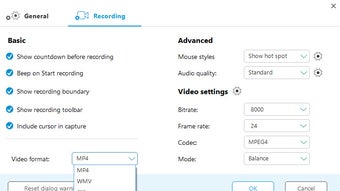
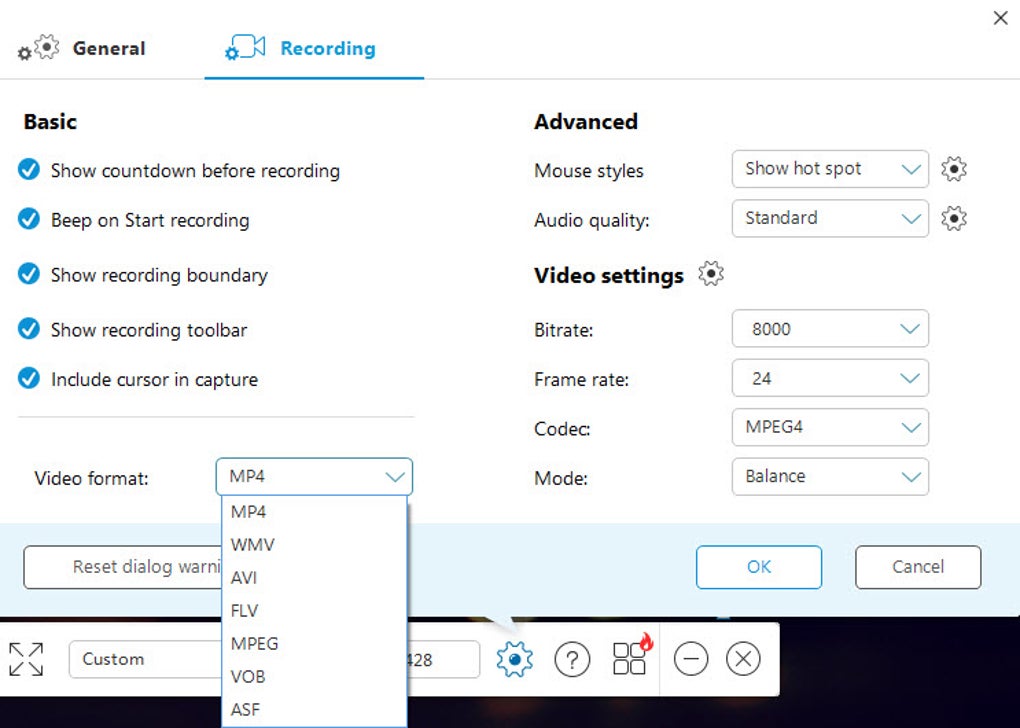
With support for multiple formats like MP4, WMV, FLV, MKV, GIF, and more, Apowersoft Screen Recorder ensures compatibility across devices and platforms. The intuitive interface, lightweight design, and advanced features such as scheduled recordings, countdown timers, and real-time editing tools make it a favorite among beginners and professionals alike. Download Apowersoft Screen Recorder today and experience seamless, secure screen recording on Windows, Mac, Android, and iOS devices.
Key Features of Apowersoft Screen Recorder
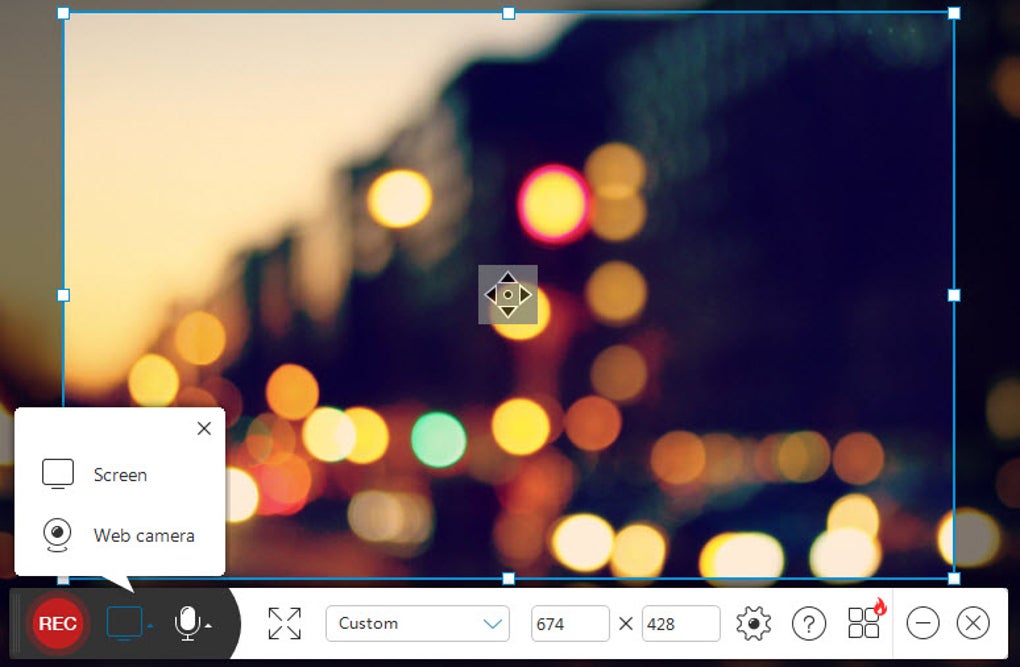
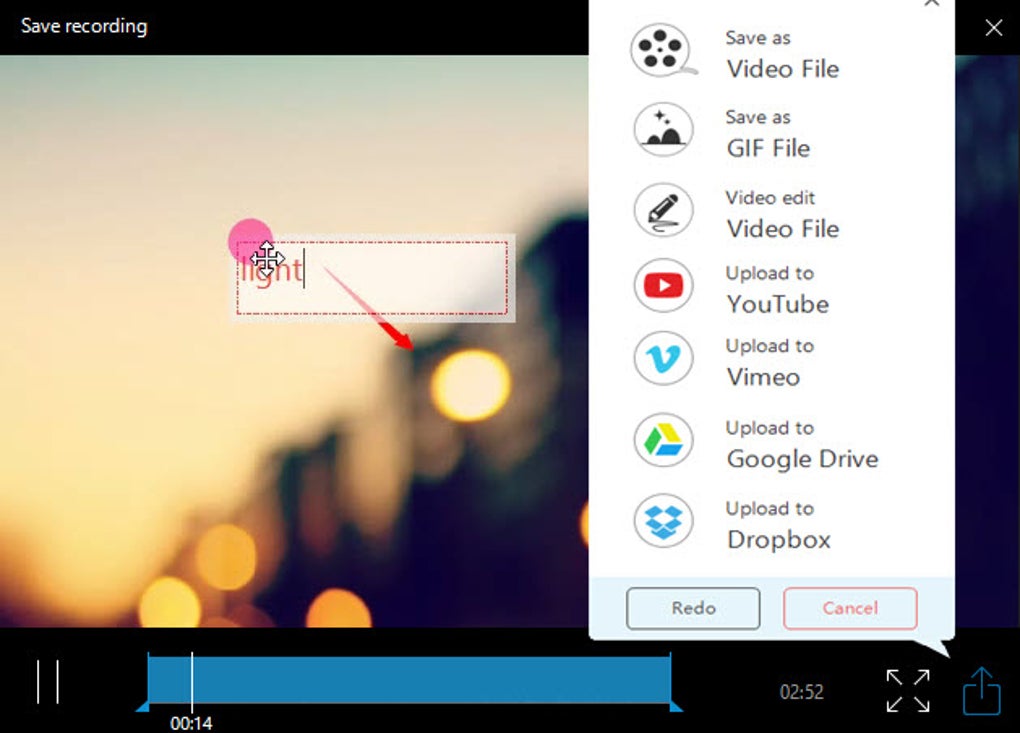
Apowersoft Screen Recorder stands out in the crowded market of screen capture tools thanks to its robust feature set and user-centric design. One of the most impressive aspects is its ability to record your entire screen, a specific window, or a custom region with just a few clicks. This flexibility is ideal for users who need to focus on a particular area—like a software interface or a YouTube video—without capturing unnecessary content. The software also supports dual audio input, allowing you to record system audio, microphone input, or both simultaneously, making it perfect for voice-over tutorials or podcast recordings. Another standout feature is the built-in video editor, which, while not as advanced as professional tools like Adobe Premiere, offers enough functionality for quick edits. You can add arrows, lines, rectangles, and text overlays to highlight key points, adjust brightness, contrast, and saturation, and even use a pencil or eraser for on-the-fly annotations. These editing tools are especially useful for educators and trainers who want to clarify complex steps in their screen recordings. The software also includes a powerful scheduling system. You can set up automatic recordings at specific times, which is ideal for monitoring recurring tasks, long-running processes, or even overnight recordings. After completion, the program can automatically shut down your computer, saving energy and preventing manual intervention. Additionally, Apowersoft Screen Recorder supports real-time preview, countdown timers (up to 10 seconds), and customizable hotkeys for instant start/stop recording. With support for multiple output formats—including MP4, AVI, WMV, MKV, FLV, and GIF—it ensures compatibility with virtually any device or platform. Whether you're recording for YouTube, sharing on social media, or archiving for personal use, Apowersoft delivers consistent, high-quality results.How to Install & Use Apowersoft Screen Recorder
Installing Apowersoft Screen Recorder is a breeze, regardless of your operating system. For Windows and Mac users, simply visit the official website, download the installer, and run it. The setup wizard guides you through the process with clear instructions. During installation, you’ll be prompted to choose between the free version and the Pro version, which unlocks advanced editing tools and additional features. Once installed, launch the application to see its minimalist interface—a small black-and-white bar that stays unobtrusive in the corner of your screen. To start recording, click the “Record” button and choose your recording mode: full screen, custom region, or specific window. You can also enable webcam capture or hide the mouse cursor for a cleaner look. Before recording, use the countdown timer to prepare—ideal for when you need to open an application or navigate to a specific page. The software automatically detects your audio sources, so you can select system sound, microphone, or both. Once everything is set, click “Start” and begin your session. After recording, the file is automatically saved to your chosen folder. You can access it directly from the app’s media library, which displays thumbnails and playback previews. For quick edits, click the “Edit” button to apply filters, add text, or draw annotations. You can also trim clips, adjust volume, and export in your preferred format. The software supports drag-and-drop functionality, making it easy to move files to other apps or cloud storage. With its lightweight footprint, Apowersoft Screen Recorder runs smoothly without slowing down your system, even during long sessions.Compatibility & System Requirements
Apowersoft Screen Recorder is designed to work seamlessly across multiple platforms, making it one of the most versatile screen recording tools available. It supports **Windows 7 and later (including Windows 10 and 11)**, **macOS 10.12 and above**, and offers dedicated apps for **Android** and **iOS** devices. This cross-platform compatibility means you can record your desktop, laptop, or mobile screen with consistent performance and quality. On Windows and Mac, the software runs efficiently with minimal system resource usage. It requires at least 2 GB of RAM, 500 MB of free disk space, and a modern processor. The app is compatible with most graphics cards and supports HD and Full HD resolutions, ensuring crisp, clear recordings. For mobile users, the Android and iOS versions allow you to mirror your smartphone screen to your PC or record directly from your device, perfect for sharing mobile app demos or troubleshooting guides. The software also integrates well with popular web browsers like Chrome, Firefox, and Edge, enabling smooth recording of YouTube videos, Zoom meetings, and online courses. Whether you're using a high-end workstation or a budget laptop, Apowersoft Screen Recorder adapts to your setup without compromising performance. With regular updates and a secure download process, the software remains stable, fast, and free from malware. Its ability to work across devices makes it ideal for remote teams, educators, and content creators who need flexibility in their workflow.Pros & Cons of Apowersoft Screen Recorder
- Pros:
- Lightweight and fast, with minimal impact on system performance
- Intuitive, minimal interface that stays out of the way
- Supports full screen, custom region, and window recording
- Records system audio, microphone, or both simultaneously
- Includes basic but effective video editing tools (text, arrows, filters)
- Offers scheduled recordings and auto-shutdown features
- Supports multiple output formats: MP4, WMV, FLV, MKV, GIF, AVI, and more
- Available for Windows, Mac, Android, and iOS
- Free version offers solid functionality for basic needs
- Cons:
- Free version includes watermarks on exported videos
- Some interface elements are misleading—clicking them redirects to the website
- Limited advanced editing features compared to professional tools
- Occasional lag during high-resolution recordings on older systems
- Pro version requires a subscription, which may be costly over time
Frequently Asked Questions (FAQ)
- Q: Is Apowersoft Screen Recorder free to download?
Yes, Apowersoft Screen Recorder offers a free version with core recording features. However, the free version includes watermarks on exported videos and lacks advanced editing tools. - Q: Can I record my webcam with Apowersoft Screen Recorder?
Yes, the software allows you to record your webcam simultaneously with your screen, perfect for video tutorials or live presentations. - Q: Does it support recording from YouTube and other streaming sites?
Yes, you can record content from YouTube, Zoom, Google Meet, and other streaming platforms without issues. - Q: What file formats does it support?
Apowersoft Screen Recorder supports MP4, WMV, FLV, MKV, AVI, GIF, WAV, MP3, WMA, and OGG—ideal for sharing across platforms. - Q: Can I schedule recordings in advance?
Yes, the software allows you to set up automatic recordings at specific times and even schedule your PC to shut down after recording. - Q: Is it safe to download from the official site?
Yes, the official website provides secure, malware-free downloads with regular updates and a trusted reputation.







